SEO for Single Page Applications: The Complete Guide

A single page application feels fast and modern, and it can be invisible to Google at the same time. The framework that makes your app snappy for logged-in users, React, Vue, Svelte, Angular, is the same one that can serve Googlebot an empty page. This guide covers why that happens, how to prove it in one command, and the exact rendering choices that fix it without rewriting your product.
The core problem: your content is behind JavaScript
Open your page, right-click, and choose "View page source". That is roughly what Googlebot sees on its first visit. On a classic server-rendered site, you see your headline, your paragraphs, your links. On a default single page application, you see a nearly empty <div id="root"></div> and a bundle of JavaScript.
Google can execute that JavaScript, but on a delay and not always completely. Rendering happens in a second wave that can lag hours to weeks behind the initial crawl, and content that only appears after a data fetch or a user interaction may never be rendered at all. Every day your content sits behind an unexecuted script is a day it does not rank.
Test it in one command
Do not guess, and do not trust your browser: by the time you look at the page, your JavaScript has run. Ask the server what it actually sent.
curl -sL https://yoursite.com/pricing | grep -i "your headline text"
No output means your headline is not in the HTML. Anything relying on the first pass, Googlebot's initial crawl, link previews on LinkedIn, Slack and X, and most AI crawlers, sees a blank page.
Two more reads worth running on the same output:
# How much text is actually in the shipped HTML?
curl -sL https://yoursite.com/pricing | grep -o '<p[^>]*>' | wc -l

# Are your internal links real anchors the crawler can follow?
curl -sL https://yoursite.com/ | grep -o 'href="/[^"]*"' | sort -u
If that last command returns almost nothing, your navigation is built from click handlers rather than anchor tags. The crawler has no links to follow, so it never discovers the rest of the site, and no amount of rendering work fixes that. A crawler needs a real <a href="/pricing">.
How Google actually processes a JavaScript page
Google works in two passes. First it crawls the raw HTML and follows the links it finds there. Later, when rendering resources free up, it runs your JavaScript and indexes whatever the page then contains. The trap is the gap between those passes: new pages, updated content and client-injected links all wait in a queue. For a large or frequently updated SPA, that queue is where rankings go to stall.
Other crawlers do not wait at all, they simply do not run JavaScript:
| Who is reading your page | Runs JavaScript | Consequence if you are client-only |
|---|---|---|
| Googlebot, first pass | No | Indexed late, or not until the render queue clears |
| Googlebot, render pass | Yes | Works, on Google's schedule rather than yours |
| Bing and other search crawlers | Partially, and less predictably | Coverage gaps you will not see in Search Console |
| AI assistants and answer engines | Mostly no | Never cited, since there is nothing to read |
| LinkedIn, X, Slack, WhatsApp previews | No | Shares render as a blank card, which kills reshares and the links they earn |
That last row costs more than people expect. A client-rendered SPA shares as an empty preview, which quietly removes the mentions and links that sharing would have earned you.
The fix is rendering, not keywords
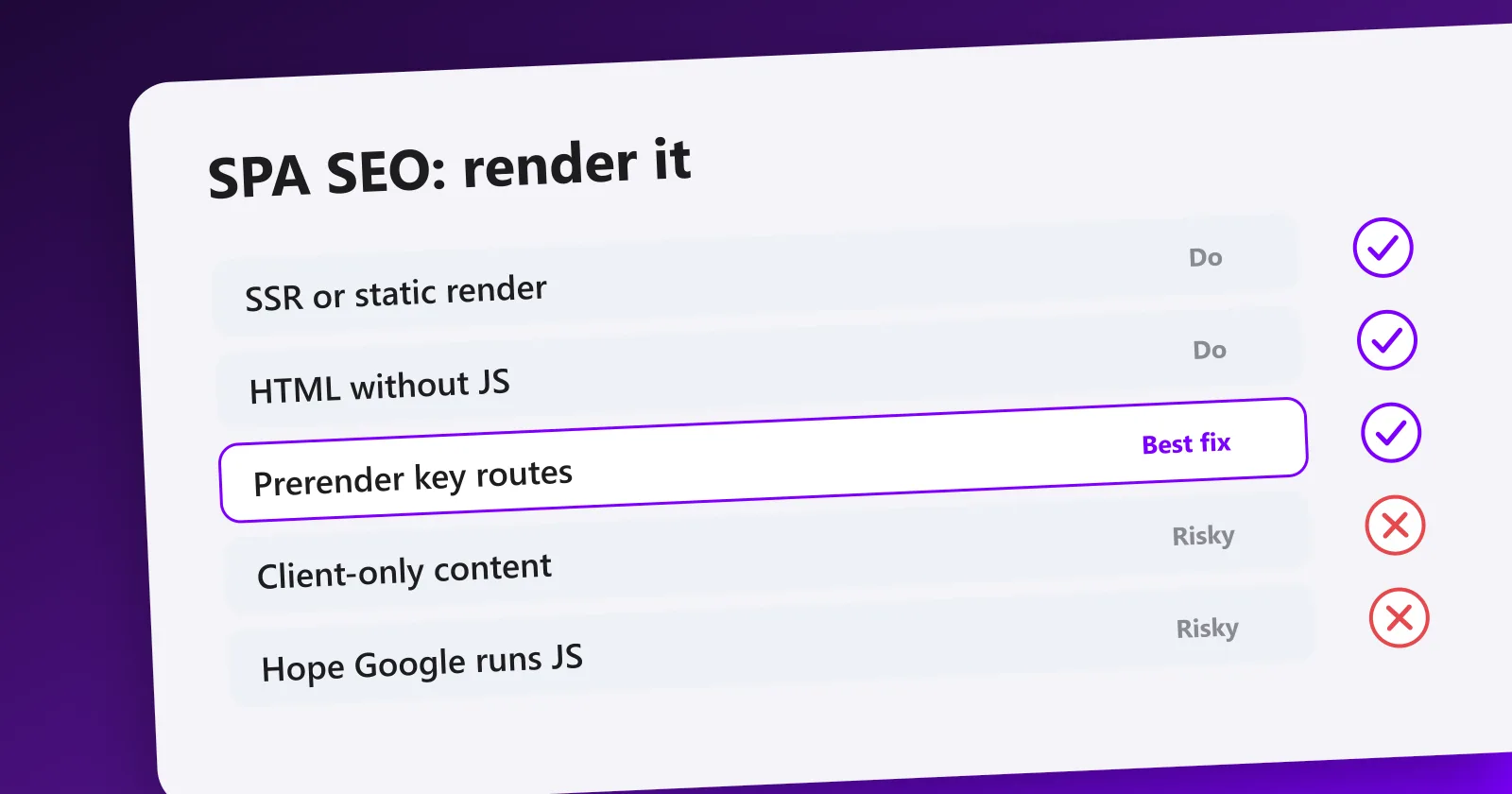
You do not solve SPA SEO by stuffing keywords into a client-rendered app. You solve it by serving HTML the crawler can read on the first pass. Three approaches, in order of preference for indexable pages:
| Approach | Use it for | Cost | Crawler gets |
|---|---|---|---|
| Static generation (SSG) | Content known at build time: marketing, blog, docs, glossaries, programmatic pages | Build time grows with page count | Complete HTML, instantly, from a CDN |
| Server-side rendering (SSR) | Pages that are personalized or change per request | A server to run and pay for, plus cache design | Complete HTML, at the cost of a server round trip |
| Prerendering | Legacy apps you cannot migrate | A third-party layer in front of your app | An HTML snapshot, served to bots only |
| Client-side only | App screens behind a login | None | An empty shell, which is fine here |
Static generation is the default answer for anything public. Fastest to serve, cheapest to run, and the crawler gets complete HTML with no server in the path. This is how programmatic SEO pages scale to thousands of URLs.
Server-side rendering renders the HTML on each request. Use it where the content genuinely cannot be prebuilt. Same SEO benefit, more infrastructure.
Prerendering serves a static snapshot to bots while humans keep the SPA. It is a stopgap, not a strategy: you now maintain two versions of every page and you have to keep them saying the same thing, since serving bots something different from users is cloaking. It unblocks indexation without a rewrite, and you should plan to leave it.
Pick the fix for your framework
You almost certainly do not need to change frameworks. Every major SPA stack has a first-party rendering mode.
| Your stack | The move |
|---|---|
| React (Create React App, Vite) | Next.js or Remix for public routes, or a prerender step if the app cannot move |
| Vue | Nuxt, in static or server mode |
| Svelte | SvelteKit, with prerendering per route |
| Angular | Angular SSR, formerly Angular Universal |
| React Router only | Its framework mode, or a static prerender of the public routes |
| Cannot touch the build | A prerender service in front, as a temporary measure |
The pattern is the same in all of them: rendering is chosen per route, not per app. Your marketing pages get prebuilt, your dashboard stays client-side, and one codebase serves both.
Split public from private
The cleanest mental model: your indexable surface and your application are two different problems. App screens behind a login should stay client-rendered, they gain nothing from SEO and prerendering them wastes build time on pages no crawler will ever reach. Your public routes, the ones you want in Google, should be statically generated or server-rendered. Draw that line deliberately and most SPA SEO problems disappear.
The four things that break even a server-rendered SPA
Switching on SSR fixes the blank page. It does not fix these, and they are what keep SPAs stuck once the content is finally visible.
1. Hash routing. Anything after the # is never sent to the server. A site routed on /#/pricing and /#/about looks to Google like one URL with fragments, so nothing beyond the home page gets indexed on its own. Switch the router to the History API so each route is a real path. Every modern router supports it, and it is usually a one-line config change plus a server rewrite.
2. Links that are not links. <div onClick={navigate}> is invisible to a crawler. Internal links must be real anchors with an href, which is exactly what the framework's Link component renders. This is also what makes internal linking work at all, and internal linking is how authority moves between your pages.
3. Titles and meta that never change. In a default SPA the <title> and description live in index.html and stay identical on every route, so every page competes with the same snippet. Each route needs its own title, description and canonical, rendered on the server, not patched in by JavaScript after load. Our guide to meta tags for SEO covers what each one should say.
4. Soft 404s. A missing product in an SPA usually renders a "not found" message inside a page that still returns HTTP 200. Google reads the status code first and keeps the URL as a valid, thin page. Return a real 404 status for routes that do not exist, and a real 301 for ones that moved.
Verify what Google sees
Do not guess. In Google Search Console, use the URL Inspection tool, run a live test, and open the rendered HTML and screenshot. Our Search Console guide covers the rest of the report. If your headline and body text are there, the crawler can read you. If you see an empty shell, your content is still trapped behind JavaScript.
Check in this order, because each answers a different question:
- curl the URL. This is the first pass, the social previews, and the AI crawlers. If your content is here, you are done worrying.
- URL Inspection, rendered HTML. This is the second pass. Content here but not in curl means you are indexed late rather than never.
- URL Inspection, page resources. A blocked script or API call is a common silent cause: the render ran, it just had nothing to render.
- Coverage report. Watch for "Crawled, currently not indexed" and "Discovered, currently not indexed" clustering on client-rendered routes.
site:yourdomain.comin Google. A rough count of what actually made it in, useful next to your real page count.
The free SEO analysis flags pages where the crawlable HTML is thin, so you catch a client-rendering leak across the whole site rather than one URL at a time. If your stack is JavaScript-heavy but not a full SPA, the broader rules are in SEO and JavaScript. If nothing is indexed at all, work through why your site is not showing on Google, and how crawling works covers the crawl to index path end to end.
After rendering, the usual rules apply
Fixing rendering gets you into the index. It does not get you to page one. Once the crawler can read your pages, the ordinary levers decide your position: the right pages for the right queries, a clean silo structure, and the authority that comes from links.
That is the work our SEO automation pipeline handles: it finds the pages your structure is missing, drafts them, and the network earns the backlinks they need. Rendering is the price of entry. Content and links are the game.
Frequently asked questions
Quick answers to the questions people ask most about this topic.
Yes, but not reliably by default. Google renders JavaScript in a second pass that can lag by days or weeks, and any content that needs a click or a data fetch to appear may never be seen. SPAs that rank serve pre-rendered HTML so the crawler reads the content on the first pass.
Almost always because the initial HTML is an empty div and the real content is injected by JavaScript after load. View source on your page: if you cannot see your headline and body text in the raw HTML, neither can the crawler on its first visit. Move to server-side rendering or static generation. The second most common cause is routing, when your internal links are click handlers rather than real anchor tags, so there is nothing for the crawler to follow.
Static generation (SSG) is best for pages whose content is known at build time (marketing, blog, docs): the HTML is fully formed, fast, and cheap to serve. Server-side rendering (SSR) suits pages that are personalized or change per request. Both give the crawler real HTML. Pure client-side rendering is the only option to avoid for indexable pages.
Only the pages you want indexed. App screens behind a login gain nothing from SEO and should stay client-rendered. Marketing pages, blog posts, category and product pages need pre-rendered HTML. Split your app so the public, indexable routes are statically generated or server-rendered.
Two checks, in this order. First, run curl on the URL and search the output for your headline: that is the raw HTML, the first pass, and the only thing social previews ever get. Second, open URL Inspection in Search Console, run a live test, and read the rendered HTML tab: that is the second pass, after Google executed your JavaScript. Content missing from the first is a delay, content missing from both is invisible.
Yes. Everything after the # is not sent to the server and Google treats it as a fragment of one page, so a site routed on /#/pricing and /#/about looks like a single URL. Switch to the History API so each route is a real path the server can answer, which every modern router supports.
Yes, on a modern Chromium engine, but on its own schedule and with a budget. Rendering is queued separately from crawling, and the queue is where new pages and fresh content wait. Other crawlers are stricter: most AI and social crawlers do not execute JavaScript at all, so a client-only SPA is invisible to them permanently, not just late.

I built Meeeters to make link building safe and simple: real, relevant backlinks with no reciprocal footprint and no black-hat shortcuts.
Related searches, answered
What people actually type before landing here, with the short answer and where to read more.
- Single page app SEO
- A SPA can rank, but only if the HTML Google receives already carries the content. Client-only rendering is the failure mode.Why Google sees a blank page ›
- SEO for a single page website
- A one-page site is a different problem from a SPA: a single URL can only ever target one query cluster.Splitting content into a silo ›
- Single page application search engine optimization
- Server-side rendering or static generation solves most of it. Prerendering for bots alone is fragile and easy to break.How Google decides what to index ›
- SEO for single page apps
- Each view needs a real URL, its own title and its own description, or Google only ever sees one page.The meta tags that matter ›
- Single page applications and SEO
- Test what Googlebot receives, not what your browser shows. The two diverge exactly where SPAs fail.Running the technical audit ›