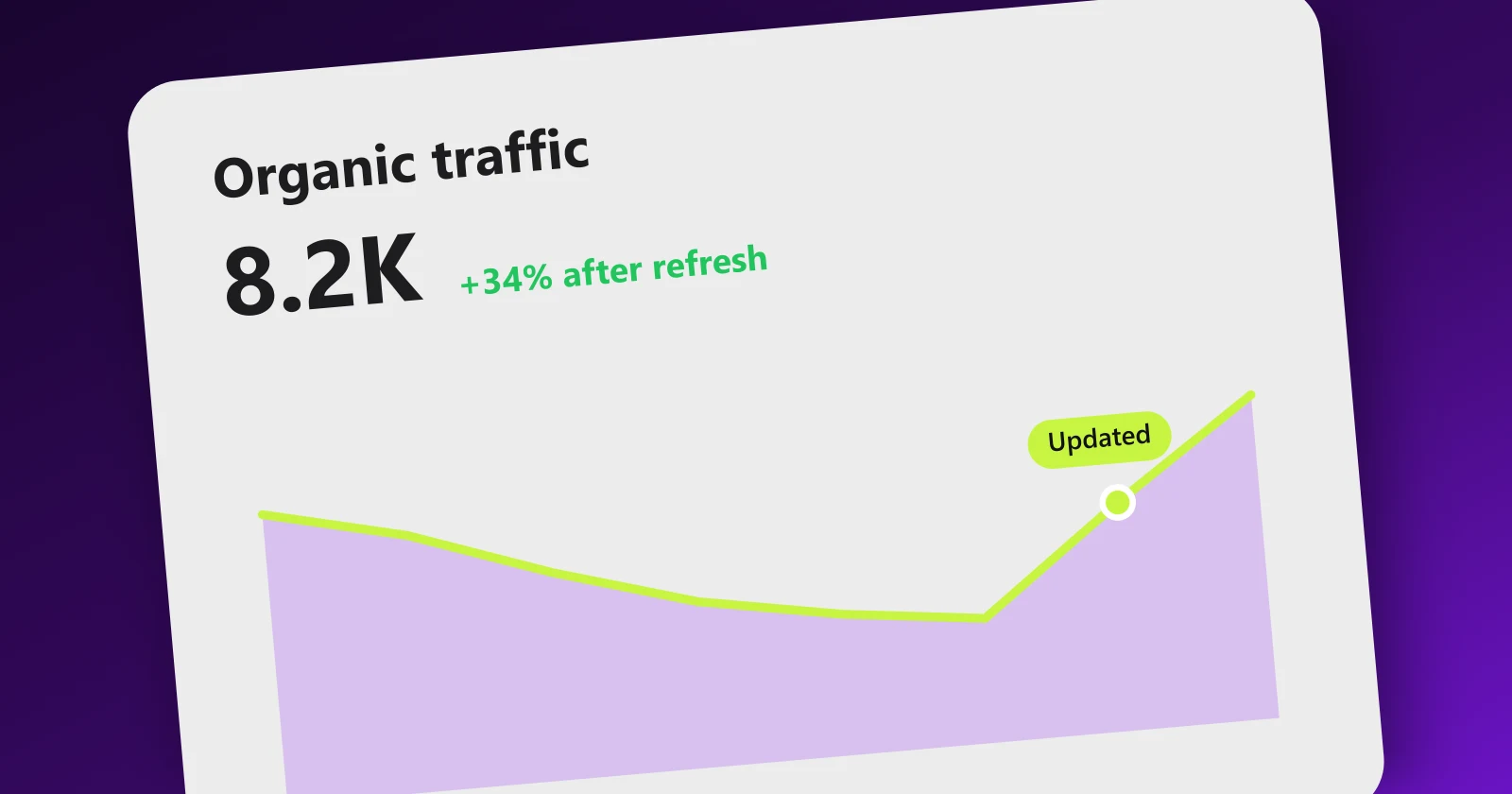
How to Update Old Content for SEO (Content Refresh Playbook)

Every site that publishes for a few years ends up with the same silent problem: a graveyard of pages that used to rank. The traffic chart per page tells the story again and again, a climb, a plateau, then a slow bleed of 2% a month that nobody notices until the quarter's numbers come in short.
Here is the good news, and I mean this as the highest-leverage advice on this blog: updating a decayed page is usually faster, cheaper and more reliable than publishing a new one. The page already has age, indexed history and backlinks. You are not building a ranking from zero; you are repairing one that already exists.
At Meeeters we maintain a content library in one of the most competitive niches there is, SEO itself, and refreshes routinely beat new posts on effort-to-traffic ratio. This is the exact playbook we use.
Why content decays in the first place
Understanding the causes matters, because each cause implies a different fix. Rankings erode for five distinct reasons:
1. Competitive displacement. The most common cause by far. Your 2023 guide was the best page on the topic in 2023. Since then, twelve competitors published newer, longer, better-illustrated versions, and each one that overtakes you costs a position. Nothing on your page broke; the bar moved.
2. Factual staleness. Prices changed, tools got redesigned, stats aged, the year in your title stopped matching the calendar. Users bounce from content that feels dated, and Google's systems favor fresh sources for any query that deserves freshness, which is more queries every year now that AI answers surface publication dates prominently.
3. Intent drift. The meaning of a query shifts. "AI content" meant something different in 2021 than it does today. Google continuously re-learns what searchers want from a query, and a page built for the old intent slides even if it is perfectly maintained.
4. Cannibalization you created yourself. As your site grows, you publish new pages that overlap old ones. Now two or three of your own URLs compete for the same query, Google alternates between them, and neither ranks as well as one consolidated page would. If you have ever watched your ranking URL flip back and forth in tracking, this is usually why.
5. Eroding authority signals. Backlinks are not permanent. Sites die, pages get pruned, links get removed in redesigns. A steady leak of referring domains lowers the authority that held your position. We wrote a full piece on why backlinks disappear; the short version is that even good link profiles lose links every month, and if you are not replacing them, decay compounds.
Diagnose before you treat. A page losing to fresher competitors needs different work than a page cannibalizing its sibling, and a page whose links evaporated needs link work, not word count.
How to find decaying pages with Search Console
You do not need paid tools for this. Google Search Console contains everything, sixteen months of it. Here is the exact procedure:
- Open Performance, then Search results. Set the date range to Compare, and pick "Compare last 6 months to previous period". If your seasonality is strong, compare year over year instead so December is judged against December.
- Switch to the Pages tab and sort by click difference. GSC shows you each URL's clicks in both periods with the delta. The pages with the biggest negative difference are your decay list, ranked by opportunity.
- For each losing page, check the Queries. Click into the page, look at which queries lost clicks, and note whether impressions dropped too. Clicks down but impressions stable means your position or snippet weakened (fixable on-page). Impressions down as well means visibility fell across the board or demand shrank (check the trend of the query itself).
- Note average position changes. A slide from 4 to 9 is a classic refresh candidate: still relevant, still indexed, just outcompeted. A slide from 8 to 40 usually signals something structural, intent drift or cannibalization.
- Check for cannibalization directly. Filter Performance by your target query, then open the Pages tab. If two or more of your URLs both show meaningful impressions for the same query, you have found a consolidation case.
- Build the shortlist. Export to a sheet, keep pages that lost at least 20% of clicks and still target queries you care about commercially. Prioritize by former peak traffic times how relevant the topic is to your business today.
Run this once a quarter and decay stops being a surprise; it becomes a queue.
A tip from experience: also list your top pages that are holding position 4 to 10 with strong impressions and mediocre CTR. They are not decaying yet, but a refresh plus a better title often jumps them into the top 3, which is where the clicks live. Same playbook, offensive instead of defensive.
The refresh checklist
Shortlist in hand, here is the checklist we run on every page. In order, because the early steps can invalidate the later ones.
1. Re-check the intent before touching a word
Search your target query in an incognito window and study what ranks now. Ask three questions:
- What format wins today: guide, listicle, comparison table, tool, video?
- What subtopics do the top results all cover that you do not?
- Has the dominant intent shifted from informational to commercial, or vice versa?
If the current top 5 are interactive comparison pages and yours is a 2,000-word essay, no amount of polishing the essay fixes the mismatch. This step decides whether you are updating, rewriting or retiring, which is the next section. Do not skip it; it takes ten minutes and prevents wasted afternoons.
2. Fix every fact, number, screenshot and date
The mechanical pass:
- Update statistics and cite current sources. A 2021 stat in a page you refresh today undermines the whole refresh.
- Retake screenshots of any interface that changed. Old UI screenshots are the fastest tell of an abandoned page.
- Update prices, plan names and feature lists for any product mentioned.
- Fix or remove dead external links, and check that your internal links still point to live, canonical URLs.
- Remove references to defunct tools and add their current replacements.
- Update the year anywhere it appears in titles, headings and copy, but only where the content genuinely reflects the current year.
3. Answer the subquestions that did not exist before
Queries grow new branches. When we refreshed our guide on how long SEO takes, the biggest gains came from adding sections answering questions people started asking after AI Overviews changed the landscape, questions that literally did not exist when the page was written.
Where to find the new branches:
- GSC query data for the page itself: queries with impressions but poor position are subtopics Google already associates with your page and wants covered better.
- People Also Ask boxes and the related searches block for your main query.
- What the newest top-ranking competitors cover that you do not.
Add each as a proper H2 or H3 with an answer-first paragraph. This matters double now: those extractable passages are what AI search engines cite, and refreshed pages with clean question-shaped sections win those citations from staler competitors.
4. Tighten the writing and the on-page basics
While you are in the document: cut the intro fluff, shorten paragraphs, turn buried lists into real lists, add a table if the content compares anything, make sure the title and meta description still earn the click. A refresh is the natural moment to run the full on-page SEO checklist rather than treating optimization and updating as separate projects.
5. Rebuild the internal links, both directions
This is the most neglected step and often the most powerful one:
- Inbound: search your own site for the page's topic and add contextual links from every relevant article, especially from your strongest and newest pages. Pages published after the original never had a chance to link to it; fix that now.
- Outbound: link from the refreshed page to the related content you have published since, which keeps the page useful and distributes its authority.
A refreshed page with ten fresh internal links recovers noticeably faster than the same refresh without them, because links are how Google re-discovers and re-evaluates the URL. Our guide to internal linking covers the full method.
6. Consolidate cannibalizing pages
If step 5 of the GSC procedure found siblings competing for the same query, merge them:
- Pick the winner: usually the URL with more backlinks and more history, not necessarily the newer or prettier one.
- Move the unique value from the losers into the winner: sections, data, examples, FAQ answers.
- 301 redirect the losing URLs to the winner.
- Update all internal links that pointed at the old URLs so they point directly at the survivor.
Consolidation is regularly the single biggest win in a refresh cycle. Two pages splitting impressions at positions 8 and 11 often become one page at position 4, because the authority and relevance signals stop being divided.
7. Republish properly
Update the visible "last updated" date, update dateModified in your Article schema, and request indexing for the URL in Search Console to speed up the recrawl. If the update is substantial, treat it like a launch: share it, mention it in your newsletter, point fresh internal links at it from your homepage or blog index for a while.
Update, rewrite, or delete? The decision framework
Not every old page deserves a refresh. Here is the triage we apply, based on what the intent check and GSC data told you:
| Situation | Signals | Action |
|---|---|---|
| Core content still valid, slipped a few positions | Position 4 to 15, intent unchanged, facts merely stale | Update: run the checklist above, keep the URL |
| Topic still valuable, page fundamentally outdated | Intent or format shifted, position collapsed, content wrong in structure | Rewrite: new content on the same URL to keep its history and links |
| Two or more of your pages splitting one query | Multiple URLs with impressions for the same query in GSC | Consolidate: merge into the strongest URL, 301 the rest |
| Topic dead or irrelevant to your business, page has backlinks | Zero clicks, no commercial fit, but referring domains exist | Redirect: 301 to the closest relevant live page to preserve link equity |
| Topic dead, no links, no traffic, no strategic value | Nothing pointing at it, nothing to salvage | Delete: return 410 or 404 and remove it from sitemaps |
Two rules that save people from classic mistakes:
Keep the URL whenever the topic survives. The URL is where the age, the indexed history and the backlinks live. Rewrite the entire content if you must, but on the same address. Publishing the "new version" at a new URL while the old one lingers creates the exact cannibalization you are trying to cure.
Never mass-delete without checking links. Before pruning, run the pages through a backlink checker or GSC's links report. Deleting a page that 30 domains link to, without a redirect, is throwing away authority your whole site benefits from. Redirect it to the closest relevant page instead; a redirect to an irrelevant page (like the homepage for everything) gets treated as a soft 404 and passes little.
How refreshed pages regain rankings
Reasonable question: does this actually work, and how fast? Here is the honest mechanics of recovery.
When Google recrawls a meaningfully updated page, the page gets re-evaluated against the current results. Unlike a brand-new URL, it does not start from zero: it keeps its crawl history, its user data, its internal position in your site graph and its backlinks. That existing standing is why refreshes move faster than new content, typically showing movement within two to six weeks rather than the many months a fresh page needs.
What a normal recovery looks like:
- Days 1 to 7: recrawl and reindexation, sometimes a brief ranking wobble as the page is re-evaluated. Do not panic if it dips for a few days.
- Weeks 2 to 4: position improvements on the queries the refresh directly addressed, especially the new subquestion sections, which often start earning impressions for long-tail queries the old version never touched.
- Weeks 4 to 12: the compounding phase, better CTR from the improved title and fresh date, more impressions, and if the content genuinely beats competitors now, the climb toward former positions and beyond.
Expectations management, founder to reader: a refresh fixes content problems. If your page slipped because competitors out-built your authority, better words alone will not close a gap made of links. Check the referring domains of the pages above you; if they have 60 and you have 8, the refresh is necessary but not sufficient, and the missing ingredient is link building. This is the situation where Meeeters fits naturally: refreshed page, real gap in authority, and you earn editorially placed links from relevant sites in the network to close it, one verified backlink at a time.
Also worth saying: not every refresh wins. Our internal hit rate is roughly two clear wins, one neutral and occasionally one that keeps sliding for every four refreshes, and the sliders are almost always intent-drift cases we misjudged. Measure at 30, 60 and 90 days in GSC against the pre-refresh baseline, and feed what you learn back into your triage.
A worked example: what a real refresh looks like
To make the playbook concrete, here is the shape of a refresh we ran on one of our own guides, with the details generalized so it maps to any site.
The page: a how-to guide published 18 months earlier. Peak traffic of a few hundred clicks a month, decayed to roughly 40% of that. GSC diagnosis: average position slid from 5 to 9, impressions roughly stable, so visibility for the head query was intact but we had been out-positioned. The incognito check showed the top results now all covered three subtopics our page ignored, and two of them used comparison tables where we had paragraphs.
The work, about four hours total:
- Intent check confirmed the format still matched: a guide was still what ranked, so this was an update, not a rewrite.
- Facts pass: nine outdated statements fixed, four screenshots retaken, two dead external links replaced, prices updated.
- Three new H2 sections added for the missing subtopics, each opening with a direct two-sentence answer. One existing wall of prose converted into a comparison table.
- Title rewritten to match the current year and the query phrasing GSC showed was earning impressions.
- Eight new internal links pointed at the page from articles published after it, and the page itself linked out to four newer siblings.
- Date updated, schema updated, reindexing requested.
The result: back to position 4 within five weeks, and two of the three new sections started ranking for long-tail queries the old version had never appeared for. Total traffic at day 90 was about 30% above the original peak, not just recovered. Four hours of work against the weeks a new page of that size would have taken to write and rank.
Not every refresh lands like that, as I said above. But the effort-to-outcome ratio is why the refresh queue gets first claim on our content time every quarter, ahead of new topics.
Republishing and dates, done honestly
A few final rules on the part people overthink:
- Show a visible "Updated" date on refreshed content. Users prefer it, and CTR data consistently shows fresher dates earn more clicks on time-sensitive queries.
- Update
dateModifiedin schema every time; updatedatePublishednever. The original publication date is a fact. - Only refresh the visible date when the content earned it. Google's spam documentation explicitly lists deceptive date-bumping as a stale-content trick, and beyond policy, a fresh date on visibly old content burns reader trust instantly, which is an E-E-A-T problem as much as a technical one.
- Change the date, not the URL. Keep dates out of your URL slugs entirely so republishing never forces a redirect.
- Consider surfacing refreshed posts at the top of your blog index after a major update. It is your content; recirculating it to readers is exactly what the refresh was for.
Make it a system, not a rescue mission
The sites that win compounding organic traffic treat refreshing as a standing process: a quarterly GSC decay review, a prioritized queue, a checklist per page and a 90-day measurement loop. A library of 50 maintained pages beats a library of 200 abandoned ones in every metric that pays.
If you want a head start on the diagnosis, run our free SEO analysis. It shows you where your site actually stands, which pages and gaps deserve attention first, and then lets you earn your first verified backlink from a relevant site in the Meeeters network, so your refreshed content gets the authority it needs to hold the rankings it recovers.
Frequently asked questions
Quick answers to the questions people ask most about this topic.
Review your important pages every 6 to 12 months, and your money pages quarterly. That does not mean rewriting them each time. Most reviews end in small fixes: a stat, a screenshot, a new subquestion, a few internal links. A full refresh is only needed when rankings have visibly slipped or the topic has materially changed.
Only when the update is substantial. If you meaningfully revised the content, updating the visible date and dateModified schema is accurate and helps click-through. Changing dates on untouched content to fake freshness is a pattern Google explicitly calls deceptive, and readers notice a 2026 date on 2022 screenshots.
That is exactly why: nothing changed on it while the environment changed around it. Competitors published fresher, more complete pages, the query gained new subtopics, Google refined its understanding of intent, and some of your backlinks quietly disappeared. Decay is the default state of ranking content, not a penalty.

I built Meeeters to make link building safe and simple: real, relevant backlinks with no reciprocal footprint and no black-hat shortcuts.