Crawl Budget: What It Really Is, and What Good Looks Like

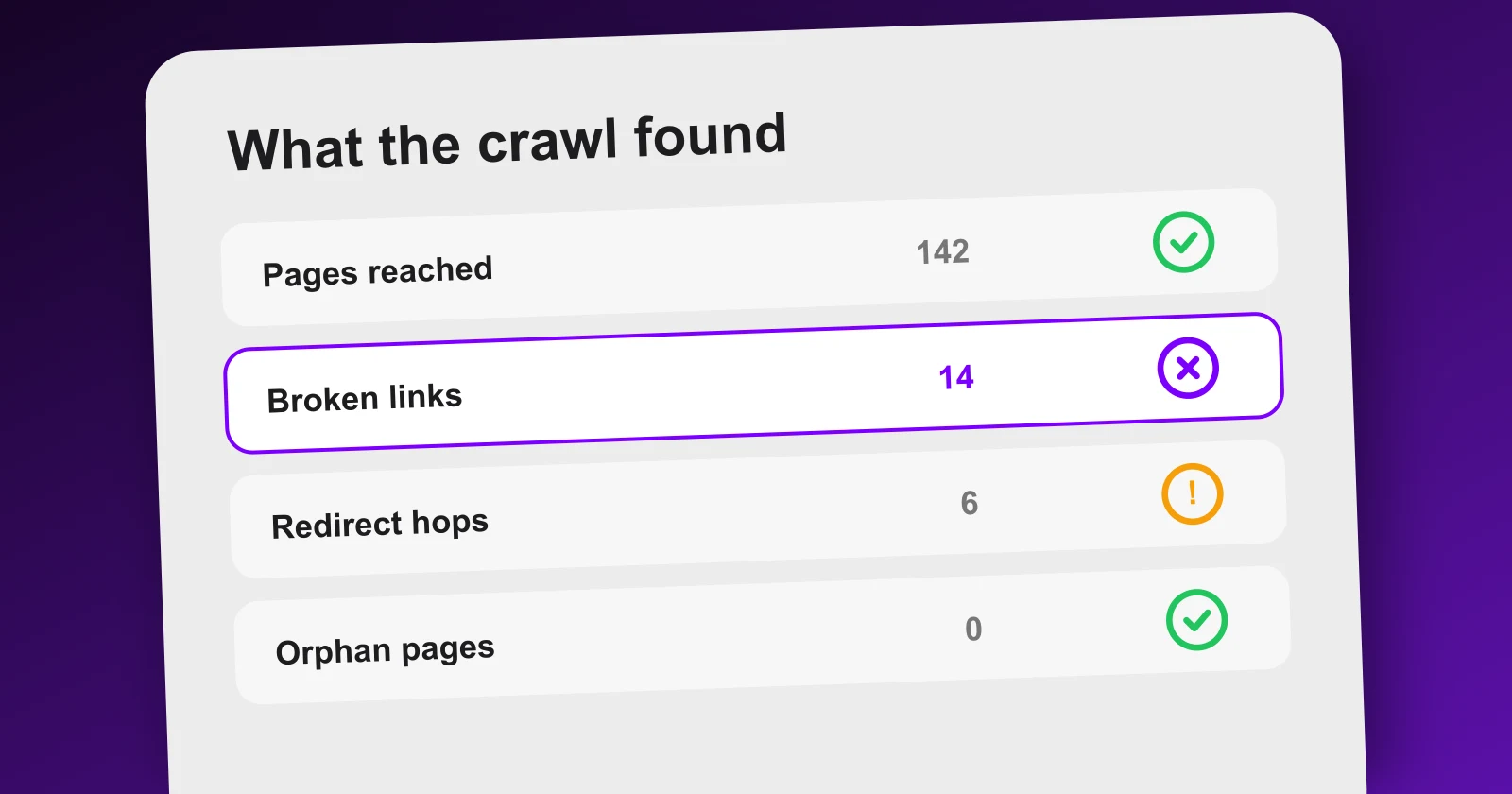
Crawl budget is one of those terms that sounds like a dial you can turn. It is not. It is an outcome, and for most sites it is not even the problem they actually have.
Worth getting straight, because the fixes are real and cheap, even when the diagnosis is wrong.
What it actually is
Two things multiplied together.
Crawl rate: how hard Google can hit your server without degrading it. If your pages answer slowly or your server starts returning errors under load, it backs off. This is a courtesy limit, and it is mostly about hosting.
Crawl demand: how much Google wants your pages. Fresh pages that change, pages with links pointing at them, pages that get traffic. A page that never changes and that nobody links to gets fetched rarely, and that is a rational decision on Google's part, not a punishment.
You do not set either number. You influence the first with performance and the second with links and freshness.
Why most sites do not have a crawl budget problem
Under a few thousand URLs, Google will fetch everything it can reach. If your pages are not in the index, the budget almost certainly did not run out. Two other things happened instead:
- Nothing links to them, so there was no path to fetch in the first place.
- They were fetched and not kept, because Google judged them thin or duplicated.
Both look identical from the outside, which is why people reach for crawl budget as the explanation. Search Console separates them: it tells you what was discovered but not indexed, and what was crawled but not indexed. Those are different diagnoses with different fixes.
Each step filters the one before it. A page that fails at step 1 can never reach step 3, however good it is.
What good actually looks like
A healthy crawl has three properties, and you can check all three yourself.
Everything important is reachable. Start from the homepage, follow only internal links, and see how far you get. If a page requires the sitemap or a search to be found, it is not part of your site as far as a crawler is concerned.
Almost every fetch produces a real page. Status 200, unique content, no hop on the way. When a large share of the crawl is spent on redirects and errors, you are paying full price for nothing.
Depth is shallow. Important pages within three or four clicks of the homepage. Depth is not a ranking factor in itself, but a page eleven clicks deep is telling Google exactly how much you value it.
The three things that waste fetches, in order
/blog/how-to-choose-a-crmpoints to/blog/crm-pricing404/blog/crm-for-freelancerspoints to/features/invoicing404/pricingpoints to/plans301A 404 in this table is a link you placed yourself, pointing at a page that no longer exists. The authority you sent down that link goes nowhere, and a visitor who clicks it hits an error.
Links to dead pages. You moved or deleted something and the links pointing at it stayed. Every one of those is a fetch spent on a 404 and a visitor sent to an error. On the site above, fourteen of them.
Redirect hops. The link works, but it goes through an intermediate URL. It costs an extra request every time and dilutes what arrives at the end. If the destination moved, point the link at the new address directly rather than relying on the redirect forever.
URL variants. Filters, sort parameters, session IDs, tracking parameters that generate a distinct URL for the same content. This is the one that genuinely burns budget on large sites, and it is worth handling with canonical tags and parameter rules before anything else.
The order to fix things
- Crawl your own site and list the pages a crawler never reaches. Link them.
- Fix internal links pointing at errors. Pure loss, cheapest win.
- Point internal links at final destinations, not through redirects.
- Only on large sites: control URL variants with canonicals.
- Improve response time, which raises the rate ceiling.
Note what is not on that list: editing robots.txt to "save budget". Blocking a page stops it being crawled, which
also stops it being indexed. It is a tool for pages you never want in search, not a performance optimisation.
Where Meeeters fits
The crawl is free and unlimited on any plan, because it costs us nothing to run: it reads your public pages exactly like a search engine, with no plugin and no access to your admin.
What it gives you is the three lists above, ready to act on: what it reached, the internal links pointing at pages that no longer exist with source and destination side by side, and the ones going through a redirect. That is the entire diagnosis part of a technical audit, and it is the part that has to be done before writing anything, because publishing into a site Google cannot fully reach is the most expensive way to find out.
Frequently asked questions
Quick answers to the questions people ask most about this topic.
The number of pages Google is willing to fetch from your site in a given period. It comes from two factors: the crawl rate your server can sustain without slowing down, and crawl demand, meaning how much Google thinks your pages are worth revisiting. You do not set it, you influence it.
Almost never. Under a few thousand URLs Google will happily fetch everything it can reach. If pages are missing from the index on a small site, the cause is nearly always that nothing links to them, or that they were judged not worth storing, not that the budget ran out.
Anything that spends a fetch without producing an indexable page: links pointing at pages that return an error, redirect chains, faceted or filtered URLs generating endless variants, session parameters, and paginated archives with no unique content. Each one costs a request that a real page could have used.
Search Console's crawl stats report shows what Google did. Crawling the site yourself shows what it would find: which pages are reachable from your links, what status each one returns, and which internal links point at something broken. Do the second one first, it is faster and you own the data.

I built Meeeters to make link building safe and simple: real, relevant backlinks with no reciprocal footprint and no black-hat shortcuts. Questions about your site? Write to me directly.
Email us