Site Architecture vs Internal Linking (They Are Not the Same Thing)

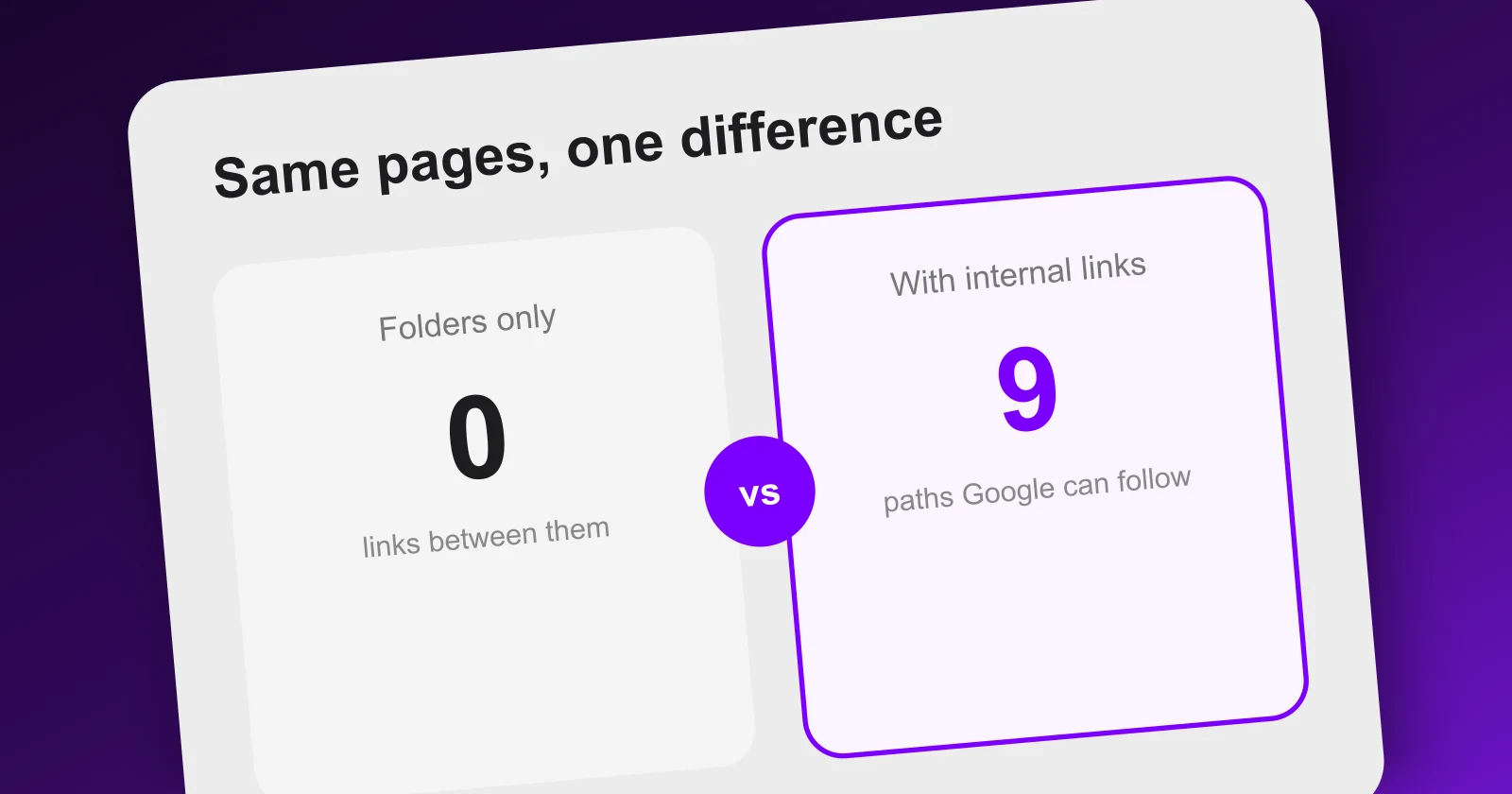
Two sites can have the exact same URLs, the exact same folders, and the exact same pages. One of them ranks and the other does not. The difference is almost never the architecture. It is what links to what.
These are two different things, and merging them into one vague idea called "site structure" is the reason so many well-organised sites quietly underperform.
The distinction, in one image
Both sides have the exact same URLs and the same folders. Only the right one passes authority. Architecture is where a page lives; internal linking is what reaches it.
Same paths. Same hierarchy. On the left, three articles that live under /crm and are linked from nowhere. On the
right, the same three articles, linked from the hub and to each other.
To a visitor browsing your menu, the two sites look identical. To a crawler, the left one has three pages it may never reach, and to your authority, it has three dead ends.
Architecture is a filing decision
Your architecture answers: where does this page belong? It shows up as a URL path, a section, a category. Its job is to make the site legible: to a human reading the address bar, to you when you maintain it, and mildly to a search engine looking for topical hints.
It is worth doing well, and it is worth doing once. Rearranging folders later means redirects, and redirects cost you something every time.
But here is the part that surprises people: a folder is not a link. Putting three articles in /crm/ does not make
them link to each other, does not tell Google they belong together, and does not send a single unit of authority from
one to the next. It only tells you where you filed them.
Internal linking is a plumbing decision
Internal linking answers a different question: how does anything get here?
Google discovers pages by following links. It also passes authority along those links: a page that many of your pages point at reads as important, and a page nothing points at reads as an afterthought. Links do two jobs at once, discovery and distribution, and folders do neither.
This is why the failure mode is so common on blogs. A blog index shows the ten most recent posts. Article eleven drops off the index. Nothing else links to it. It is now, in practice, unreachable, even though its URL is perfectly tidy and it sits in your sitemap.
How each one breaks, and how you would notice
They fail in different ways, and only one of them is visible without tools.
| Site architecture | Internal linking | |
|---|---|---|
| Answers | Where does this page live | What reaches this page |
| Fails as | Confusing paths, pages in the wrong section | Orphan pages, links to 404s, redirect hops |
| Visible by | Reading your own URLs | Crawling your site |
| Costs to fix | Redirects, one-off | An editing pass, ongoing |
Architecture problems are visible from the address bar. Linking problems are invisible from the front end: your menu still works, your pages still load, and nothing looks wrong until you follow every link the way a robot does.
/blog/how-to-choose-a-crmpoints to/blog/crm-pricing404/blog/crm-for-freelancerspoints to/features/invoicing404/pricingpoints to/plans301A 404 in this table is a link you placed yourself, pointing at a page that no longer exists. The authority you sent down that link goes nowhere, and a visitor who clicks it hits an error.
Every line in that table is a link you placed yourself, pointing at a page that no longer exists. The visitor gets an error, and the authority you sent down that link goes nowhere.
What to fix first
In order, and the order matters:
- Find the pages nothing links to. They are the cheapest win on any site. Link them from the relevant hub and from two or three related pages.
- Fix links pointing at dead pages. These are pure loss: you are spending authority on nothing and sending visitors to an error.
- Remove redirect hops in internal links. If the destination moved, point the link at the new URL directly.
- Only then reorganise folders, and only if the current ones actively mislead. This is the expensive one and it is rarely the bottleneck.
Where Meeeters fits
The free analysis crawls your site the way a search engine would: it follows every internal link, records what came back, and shows you the links pointing at pages that no longer exist, source and destination, one by one. That covers steps 1 to 3 above without installing anything.
What it does next is the part folders never do for you: it groups the pages you should write into silos, and every article it drafts links to the pillar of its silo and to its siblings, never across to an unrelated one. The links are part of the draft, not a chore you remember afterwards.
Which raises the obvious next question: what exactly is a silo, and how do you decide where a page belongs?
Frequently asked questions
Quick answers to the questions people ask most about this topic.
Architecture is where a page lives: the folder, the section, the URL path. Internal linking is what points at it. A page can sit in a perfectly logical folder and have zero links pointing to it, in which case Google has no path to it and no authority reaches it. Folders describe, links connect.
Barely, on its own. A clean path helps humans understand where they are and gives a mild relevance hint, but Google ranks pages, not folders. The reason well-structured sites often rank better is that people who organise their URLs usually also link their pages together. It is the linking doing the work.
Enough that every important page is reachable in a few clicks from the homepage, and no page is reachable only through search or a sitemap. There is no magic number. The useful test is the reverse one: list the pages that have no internal links pointing at them, because those are the ones losing.
Yes, and they are among the most reliable kind, because they exist on every page and always point upward to the section and the homepage. They will not solve a flat blog where article eleven is unreachable, but they make hierarchy explicit for both users and crawlers.

I built Meeeters to make link building safe and simple: real, relevant backlinks with no reciprocal footprint and no black-hat shortcuts. Questions about your site? Write to me directly.
Email us